CAMERA CONFIGURATION
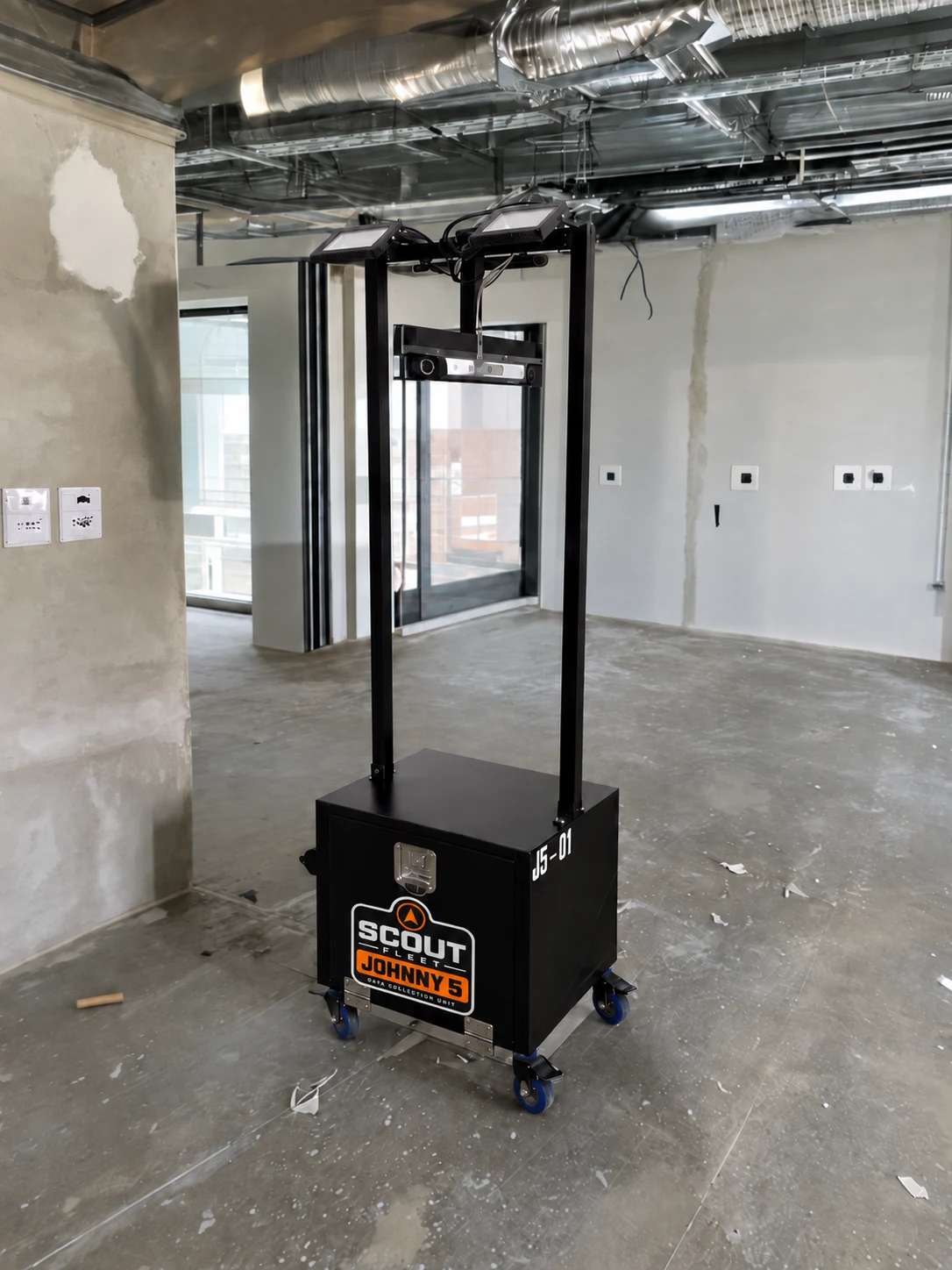
JOHNNY5DUAL 180° CAMERA CONFIGURATION
Two views. One watchful presence.
Two 2K cameras, each with a 180° view, bring broad jobsite visibility to the original fleet configuration.
Ask about JOHNNY5 Start a Conversation
 FIELD TECHNOLOGY / B TEAM CONSTRUCTION
Meet Scout Fleet: jobsite camera configurations supported by connectivity and lighting. Explore optional OntaBuild pairing and a roadmap for spatial capture and charging upgrades.
Explore the fleetThe original dual 180° camera configuration.
01 / MEET THE FLEET
Choose your view. Explore the upgrades. Build a Scout setup around the work your team needs to do.
Two views. One watchful presence.
Two 2K cameras, each with a 180° view, bring broad jobsite visibility to the original fleet configuration.
Ask about JOHNNY5Look closer. See what matters.
A 5 MP pan-tilt-zoom camera with optical zoom lets you direct the view and examine the details.
Ask about IRISEvery angle. A fuller story.
Planned 360° capture for remote jobsite walkthroughs and analysis, adding an all-around perspective to the platform.
Ask about AEON360Map the space. Measure the progress.
LiDAR development focused on spatial capture and improved accuracy in production tracking.
Ask about PATHFINDERPower for the work ahead.
A planned dedicated power-tool battery recharging station. Ask about charger compatibility and available power options.
Ask about POWERLINKConfiguration and upgrade availability varies. B Team will help confirm the right setup for your project.
02 / BUILT AROUND YOUR WORK
Camera options are supported by jobsite lighting and Wi-Fi connectivity, with power options selected for your setup.
Optional rechargers are part of the existing offering. POWERLINK names the dedicated charging-station upgrade on the roadmap.
SCOUT FLEET + ONTABUILD
Meet Project Atlas: a generic demonstration of camera views, project context, and schedule health together on one screen.
 OntaBuildPROJECT ATLAS DEMO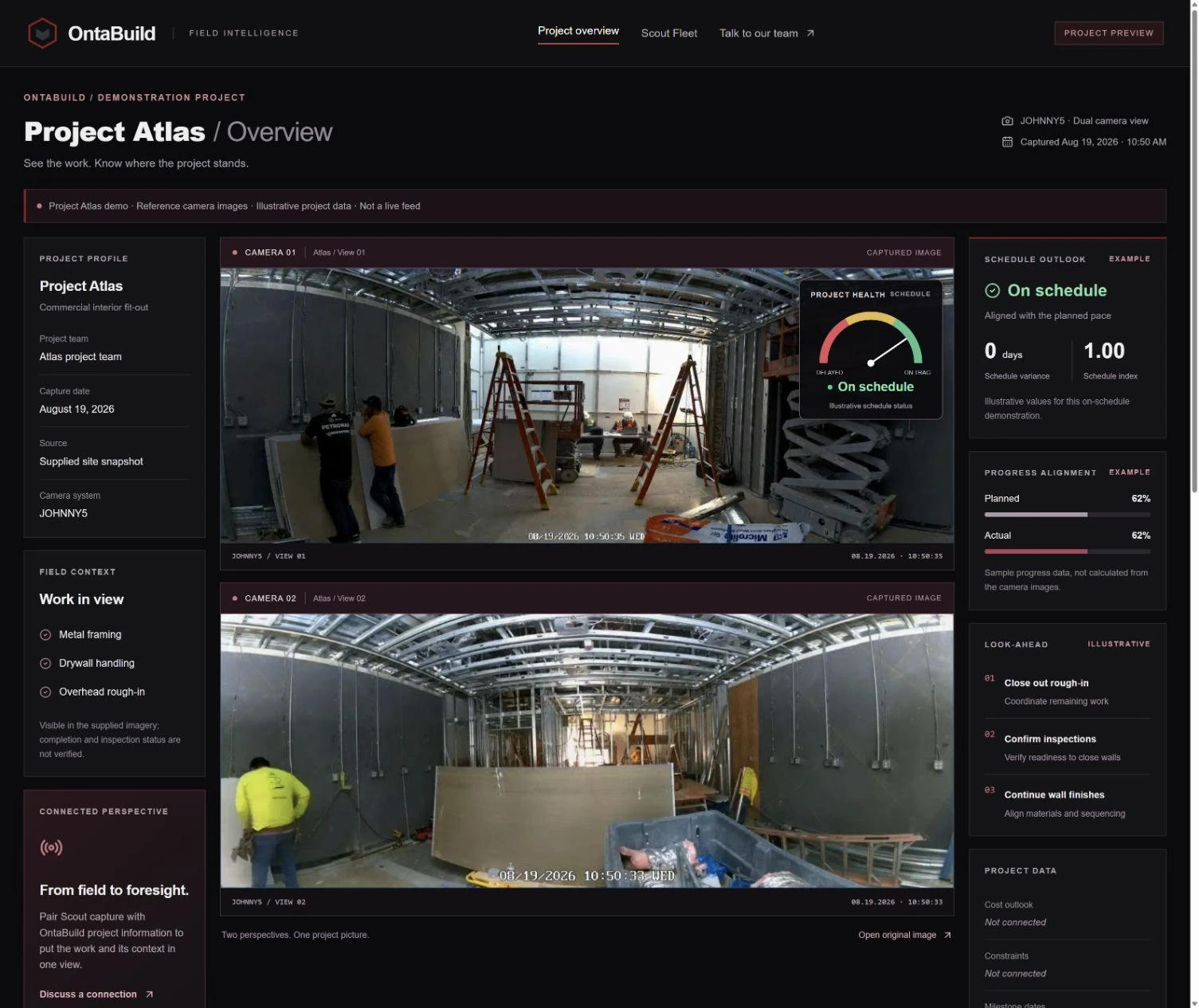
FROM CAMERA VIEW TO PROJECT CONTEXT
Explore pairing Scout Fleet with OntaBuild to bring field imagery alongside schedule, cost, and coordination information. Project Atlas shows how the experience could look on your project's screen.
The green, yellow, and red schedule gauge makes project health easy to read at a glance.
View the Project Atlas demo Discuss OntaBuild pairing
Screenshots from the Project Atlas demonstration. Project names and schedule values are illustrative; camera images are reference snapshots, not a live feed. Pairing, screen hardware, data access, and availability are confirmed with your team.
THE NEXT CHAPTER
AEON360, PATHFINDER, and POWERLINK extend the development roadmap into immersive capture, spatial understanding, and jobsite charging. Ask to hear when the capabilities you need become available.
Register your interestLET’S TALK ABOUT YOUR SITE
Tell us what you’re building and what you need to see. We’ll discuss configuration options, OntaBuild pairing, and availability.
Planning ahead? Request availability updates for the units and upgrades that interest you.
info@bteamconstruction.com